
Microsoft Bing Maps Fleet Tracker Solution on GitHub
Blog|by Jamie Maguire|4 May 2018
Introduction
In previous blog posts I’ve covered many technologies in the Bing Maps space such as the Distance Matrix and Truck Routing APIs, and in this blog post, we continue with this theme – in particular, a look at the Bing Maps Fleet Tracker Solution.
First thoughts? It’s impressive!
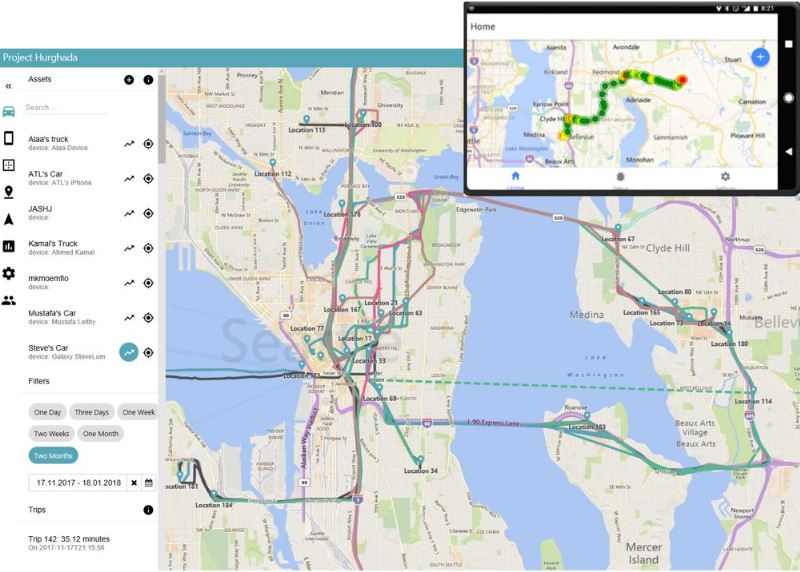
Microsoft has open-sourced a vehicle tracking solution and is effectively providing a software product that allows businesses to track drivers and assets in real time. The project is available for download on GitHub and can save you substantial development effort as much of the work has already been done for you!
So, without further ado, let’s explore some of the features of the open source project and how your business might be able to benefit from it!
Overview
The open source solution leverages Microsoft Bing Maps V8 Web Control and RESTful web services, powered by Azure back-end storage that lets the Fleet Tracker Solution provide features that include:
- Mobile phone tracking
- Trip detection
- Geofence Based Alerts
- BI and Reporting

Mobile Phone Tracking
Using the website administration portal that ships with the Fleet Tracker Solution, you can supply mobile device information to enable location tracking on a phone. To make adding new phones to the system really easy, information can be supplied by simply snapping a QR code. iOS and Android are supported.
Trip detection
Real-time GPS point data is analysed in the service to help determine trips and destination locations automatically.
Geofence-based Alerts
You can create regions (or geofences) on a map and have the Fleet Tracker Solution automatically send you email alerts when assets of your choice enter or leave the region.
Sample Use Cases
As the Fleet Tracker is an open source project, the limit to what you can do with the solution really is down to your imagination. You basically get all the building blocks that are needed to get to started with an asset tracking solution.
Here are some ideas:
- Transparency – Ideal for taxi or delivery services, keep customers informed as to when a driver will reach their destination!
- Collaboration – Have a mobile sales team? Colleagues can see where each other is without having to contact them.
- Safety – Extend the application to keep tabs on your children’s whereabouts.
Project Components
From a developer’s perspective, you might be wondering how the Fleet Tracker Solution is architected, the solution consists of the following components:
- Backend services
- Administration Portal
- Mobile Client
These components form the core of the solution, they can also be built and ran separately or even replaced with your own specific implementation. In terms of amending the codebase, you’ll need the following installed on your development environment:
- Git
- Visual Studio 2017ASP.NET and Web Development
- Azure Development
- .NET Core Development Tools (.NET Core 2)
To give you an idea of what each component is responsible for, here is a quick overview:
Backend services
These back-end services are responsible for the provisioning of assets and tracking devices, they also allow you to despatch and generate reporting data. In terms of the tech stack, ASP.NET Core 2 is used in conjunction with Azure Functions.
Administration Portal
This is an Angular 4 web application portal that allows administrators to view reports, track and provision assets and compare dispatch routes.
Mobile Client
The mobile client’s main responsibility is to forward asset location information to the back-end services hosted in Azure. It’s an Ionic mobile application and so needs an internet connection to do so.
Under the Hood
With an overview of the main components that form the overall Fleet Tracker Solution, it’s worth taking a deeper dive into some of the key objects and associated properties to give you a feel for the types of data and services that you can expect to find in the solution.
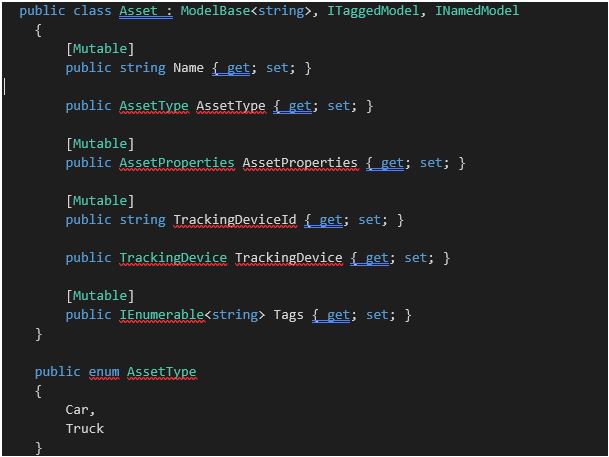
Asset
This class represents an Asset that you wish to monitor in the Fleet Tracker Solution, the properties such as name and TrackingDeviceId are self-explanatory. An enum is used to represent the AssetType property, you can see how easy it is to extend this class!
AssetProperties
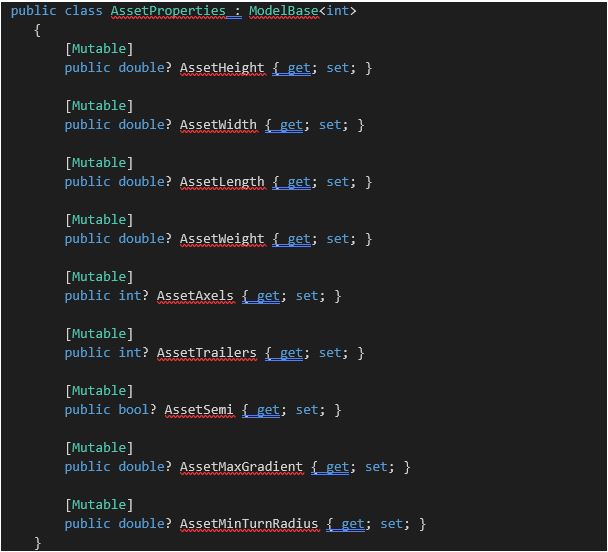
The Asset class that we just covered contains property of type AssetProperties which is represented by this class. AssetProperties lets you model asset properties (as the name suggests!), notice the AssetHeight and AssetWidth properties?
Blend this data with the Bing Maps Truck Routing API and you can extend the Fleet Tracking Solution to factor in suitable or unsuitable roads based on these values!
TrackingDevice
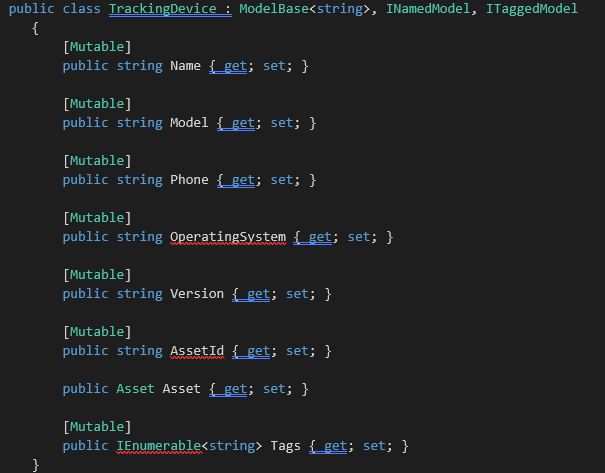
The Asset class also features a property of this data type (TrackingDevice). This effectively models the mobile device that you want to track, along with the Asset associated to it and is used by several components and services found within the Fleet Tracker Solution.
These are just some of the key classes that are used within the Fleet Tracker Solution to offer the rich functionality it provides. To get a better understanding of the object model and back-end services I recommend downloading the code from the GitHub repository.
Curious? Get started quickly with Azure!
If you want to quickly experiment with the solution, Microsoft has made it easy to get Fleet Tracker solution published to Azure. In just a few clicks you can provision the necessary services to support it – all from a link in the project GitHub site which you can see here:
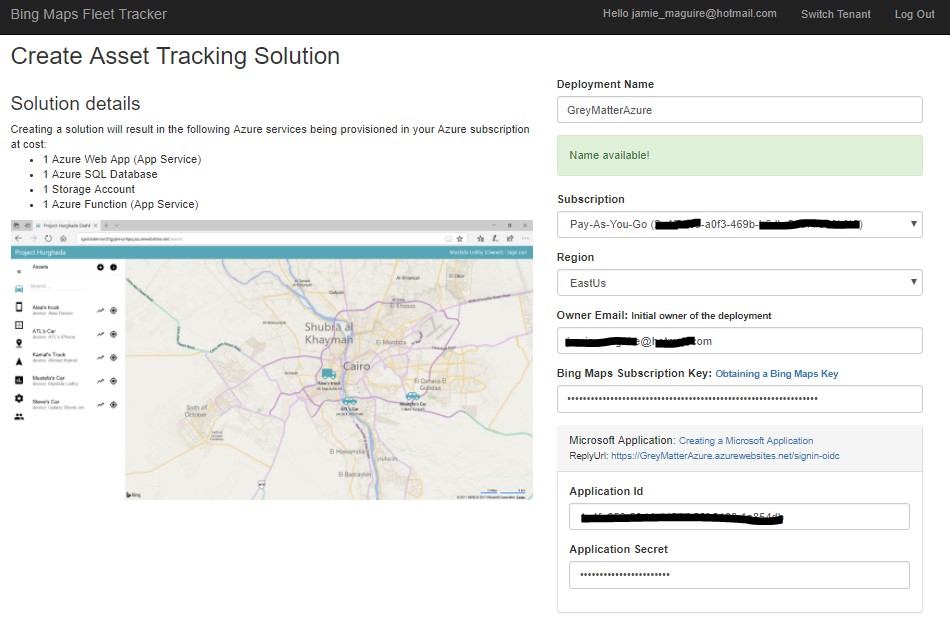
Bing Maps Fleet Tracker Solution on GitHub. (Image: Microsoft)
You’ll need a Bing Maps Subscription Key and Microsoft App ID, again, creating these only takes a few mouse clicks to get going, after you supply the necessary detail and click Deploy, the required services for the Fleet Tracker Solution will automatically be provisioned for you in Azure.
Summary
In this blog post we looked at the Bing Maps Fleet Tracker Solution, we explored what the main components of the solution are, have peeked under the hood and touched on how easy it is to provision services in Azure to support the application.
You can grab the entire codebase for the Fleet Tracker Solution here on GitHub.
If you want to learn more about Azure or get help creating a Bing Maps key, contact the Grey Matter mapping specialists who can help you get started and answer any usage questions: +44 (0)1364 655133 or email: [email protected].
Are you using any of the Bing Maps APIs in your products? Could the Fleet Tracker Solution be used in your business or adapted to your unique needs?