
HERE Electric Vehicle Routing
Blog|1 February 2021
HERE has updated their Routing API with the addition of powerful and versatile electric vehicle (EV) routing. This new feature provides rich support for EV fleet management.
The update goes way beyond just mapping charging points: it can be configured with your individual EV properties to meet the requirements of your service or app. It can also take into account time to charge as well as optimal times and suggest routes best suited for your particular EV needs. To get started using this new feature, begin by taking a look at the HERE developer guide introduction to EV routing.
At a high level, you'll need the following arguments to use EV routing. First, to calculate energy consumption, you'll need:
freeFlowSpeedTable: A function curve that specifies energy consumption at a particular speed.ascent: The rate of energy consumed per meter rise in elevation.descent: The rate of energy consumed per meter fall in elevation.
On top of these, to calculate reachable routes, you'll need:
initialCharge: Charge level of the vehicle's battery at the start of the route.maxCharge: Total capacity of the vehicle's battery.connectorTypes: Comma-separated list of connector types that are compatible with the vehicle. The API docs define supported types.chargingCurve: Function curve describing the maximum battery charging rate at a given charge level.maxChargeAfterChargingStation: Maximum charge to which the battery should be charged at a charging station.makeReachable: This must be set to true.
There are additional EV related attributes as well, and as said above, use the API docs for reference. It can get pretty complex. Let's consider an example with hard coded values using Node.js:
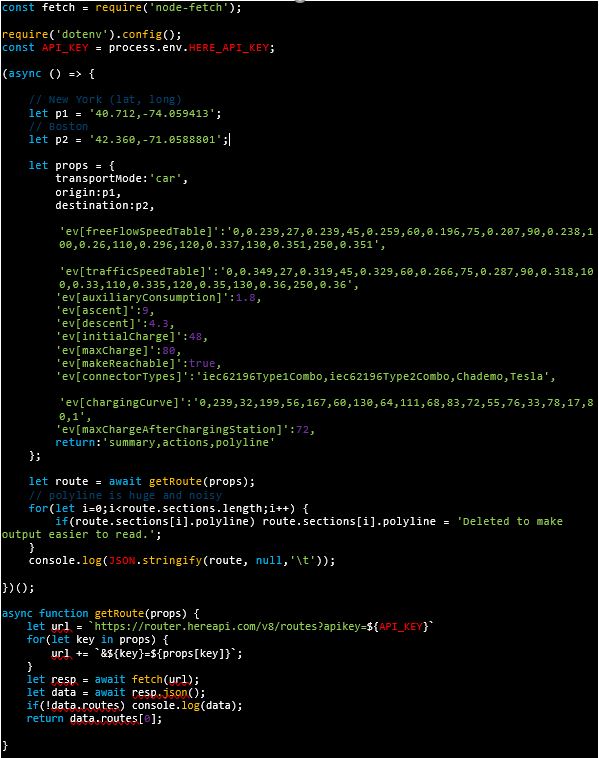
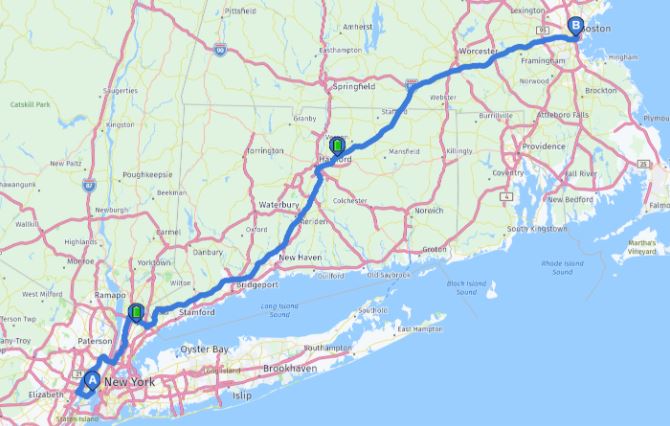
This script simulates an EV route from New York City to Boston. It includes multiple different ev arguments that specifies the nature of how the vehicle operates, charges, and so forth. In your REST calls, all ev arguments will be of the form ev[something] which can help to visually differentiate it from the rest of the call. All of these arguments are passed to a little utility function I wrote that then hits the API and parses the result, returning just the first route (if it exists - like many of the scripts I write to test things out the error handling could be nicer!).
Executing this script will return, as usual, quite a lot of information in regards to the trip, but let me share some interesting portions from the result.
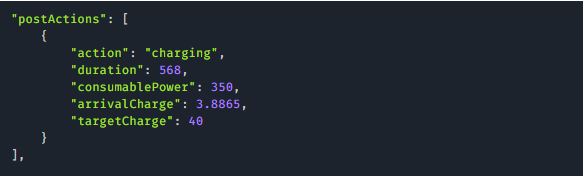
Route results come in "sections" that make up the route, and with EV routing enabled, you are presenting with information related to charging done at the end of the section, including estimated charge and time to complete the charge:
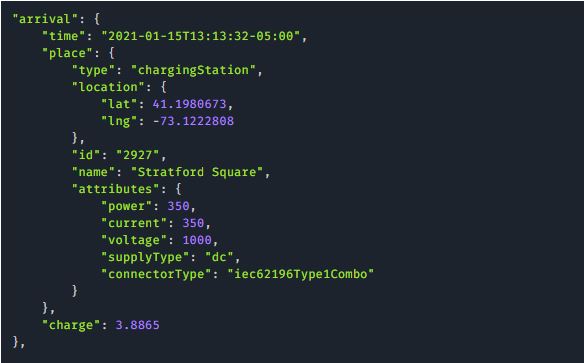
Arrival information also includes EV data:
Summary data will also include charging related information:

All in all, it's a fairly complex new feature. There's a few resources I'd suggest for additional help:
- Calculating energy consumption - An excellent use case example from the developer's guide.
- Calculating a route with charging along the way - Another use case example from the developer's guide.
- Consumption model - Another resource from our developer's guide, this one will provide more information about EV characteristics in particular in regards to how to use them with the API.
- And finally, the HERE Routing API Reference Client, a web-based tool that helps you visualize our API and it's results. It's especially useful if you need sample EV attribute values.
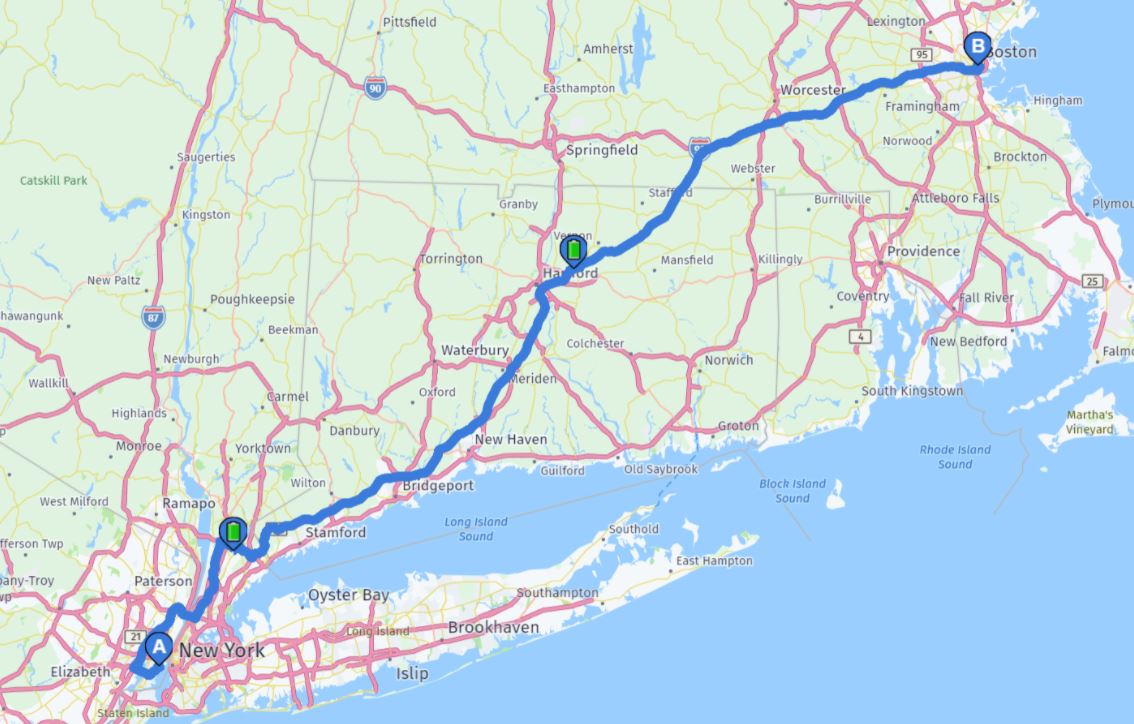
As an example, here's how the Reference Client renders my NYC to Boston route, with notable charging stops.
Grey Matter is the Distributor Partner for HERE Technologies. Our HERE licensing experts can discuss your use case or project with you, help get you set up, provide licensing guidance, and advise on services provision. Contact them.
Raymond Camden is a Lead Developer Evangelist at HERE Technologies. This blog post has been re-printed with permission.