
Celebrating 25 years of C++Builder
Blog|by Leanne Bevan|2 March 2022
This year, C++Builder celebrates its 25th anniversary. Here's a look at the history of the IDE and what it's like today.
History of C++Builder
Borland released the first version of C++Builder on 26 February 1997, hot off the heels of Turbo C, Turbo C++ and the popularity of Delphi, all of which C++Builder shares a lot of its technology. Using the power of C++ language and visual component-based development, teams could build console, desktop GUI, database and Client/Server applications.
David Intersimone demonstrates C++Builder Version 1 running on Windows 95 in the video below.
Cut to 2002 with the release of C++Builder 6, the IDE was recognised for its great features and usability. With the C++Builder compiler being an industry favourite that even others such as GCC needed to catch up to. Famous for being faster than the others thanks to its architecture and its time to read a block of sources at a time.
C++Builder switched from using Turbo C and Turbo C++ to Clang to adapt to modern needs like being one of the first to implement the Cfront and Borland templates models; plus added more language features.
Later C++11, the second major of C++ behind C++98 was released with powerful template technology. In particular the variadic templates. In 2011 Clang and LLVM projects were quickly implemented as they provided an easy way to add custom behaviour. Plus, macOS (then OS X) support in C++Builder was added in 2011 as well.
XE2 was released and included OS X support with the classic compiler and shipped the now-removed feature, C++Audits which used Clang 3.1 and let the developer teams test the customised Clang on real-world source code using C++Builder’s syntax and extensions before shipping a compiler that supported those extensions. The compiler shipped in Update 1 to XE3 in 2012, and the Embarcadero team led Clang history here as the first to bring Clang to Windows, followed later by Google and Microsoft.
Clang 3.1 was rapidly updated to Clang 3.3, and then later to Clang 5 in 2018 when C++Builder added C++17 support.
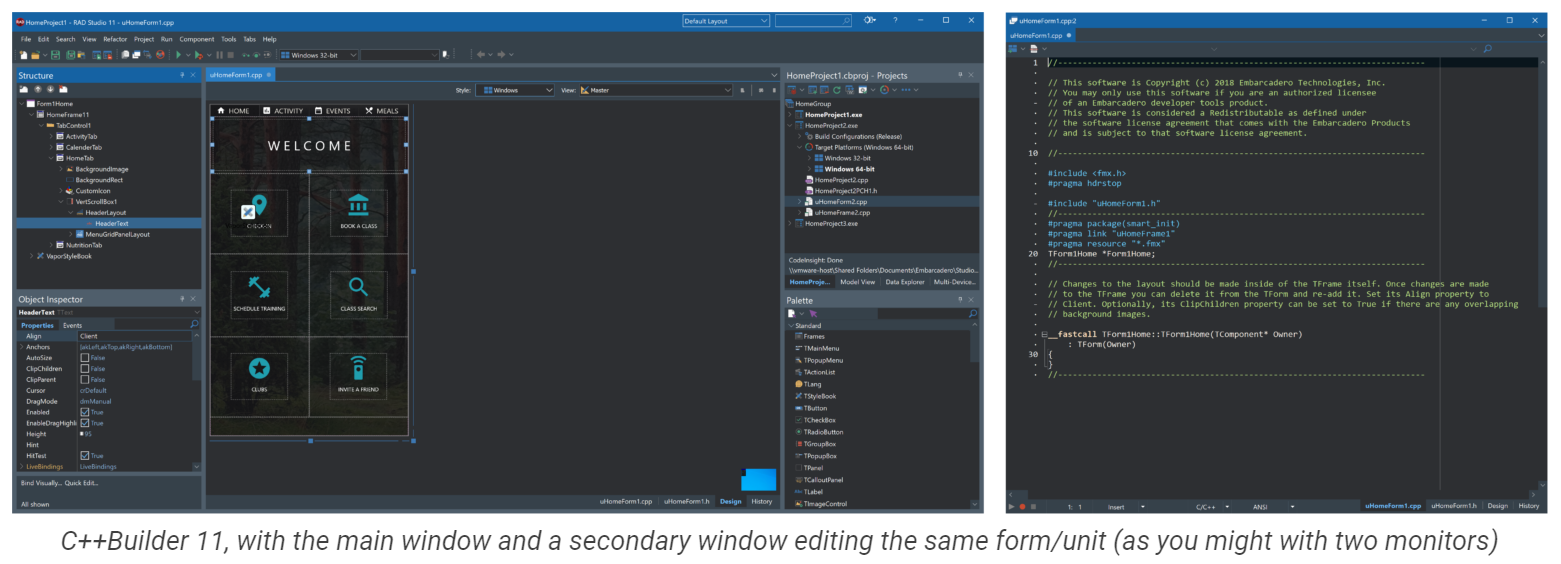
C++Builder today
Focus has since been on compatibility and support:
- Support for common C++ library quirks
- Adding RTL methods
- Compatibility with source code written with other compilers in mind
- Compatibility with:
- open-source and third-party C++ libraries
- Native Windows UI library
- VCL with high DPI support
- FireMonkey
Plus it delivers rapid development productivity which makes it perfect for quickly building applications.
Find out more
Discover more about the history of C++Builder by checking out the article by David Millington here. As well as David Intersimone's blog about visual development and the power of the C++ language here.
If you'd like a free trial or would like to purchase C++Builder for your cross-platform app development, head to our dedicated Embarcadero page to find out more or fill in your details in the form below.