
Customise your route planning with HERE Routing API
Blog|23 March 2020
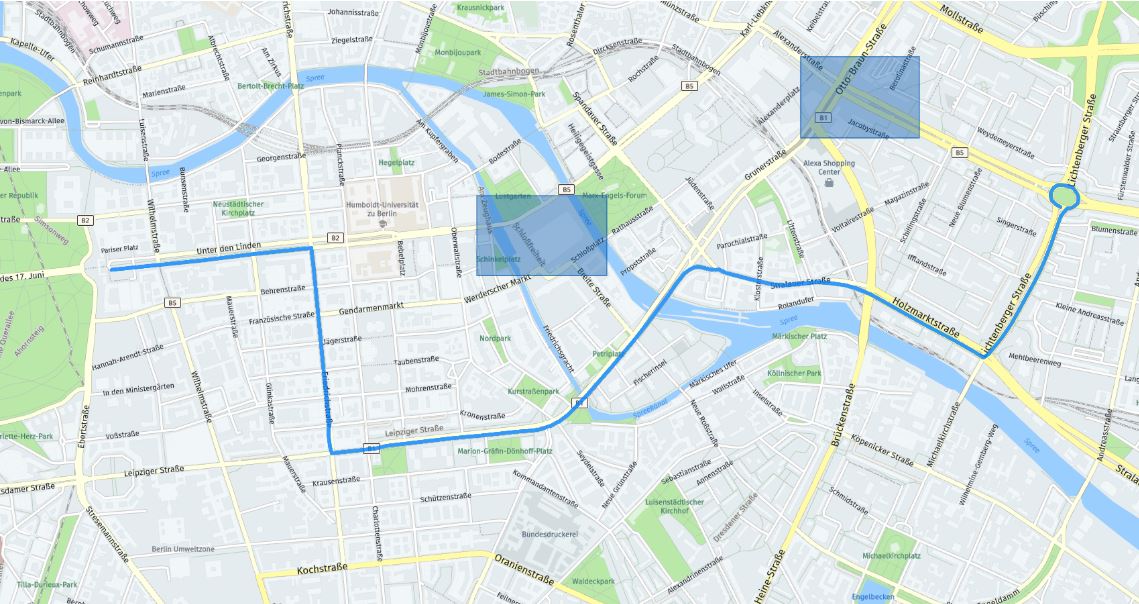
For business planning use cases it is often not just a case of simple routing from A to B. At Grey Matter, we receive a lot of requests from customers who have specific requirements when routing, and how to avoid a certain area is one of those.
Loading your own route specifications can ensure you are able to calculate routes that avoid options such as individual roads, particular areas, and more, according to your requirements.
In this insightful blog post, we are taken through the steps to build a custom route that uses bounding boxes to avoid areas.
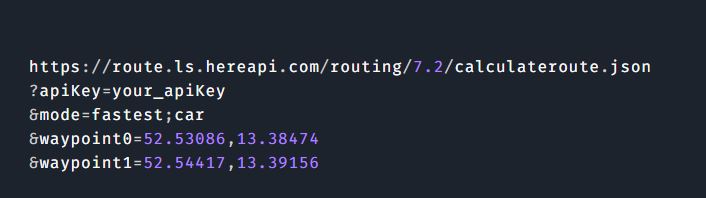
Select your waypoints
We start with two waypoints, a routing mode (in this example, we’re asking for the fastest route by car) and an API key for authentication.
Display the route on a map
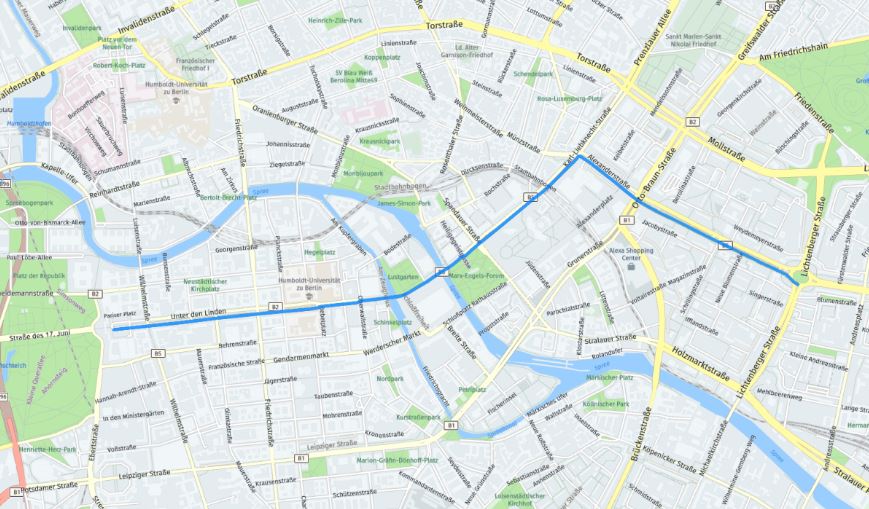
This example can be accessed via the Web SDK to see how to display a route on map. You will find that the JavaScript API uses the same routing parameters as the REST API – this code snippet calls the Routing API in JS.
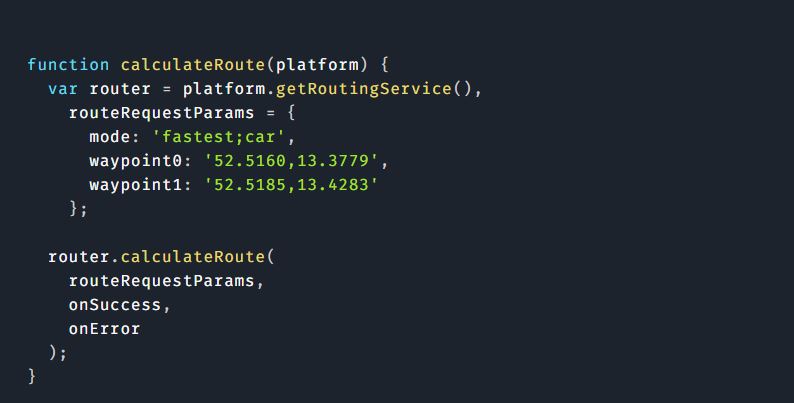
Customise the route
We want to make sure that this route avoids a specific area, so to customise our route we can use the avoidareas parameter of the Routing API. We need to pass it a bounding box using two locations (top-left and bottom-right of the box).
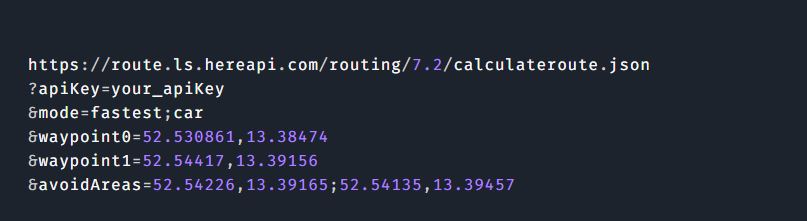
The next step is to draw this area on the map and see if the new route we have created takes a path around the area we wanted to specifically avoid.
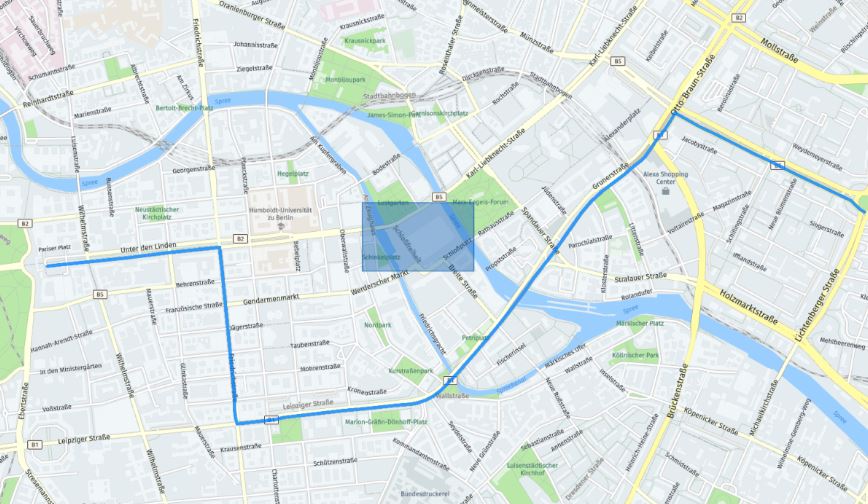
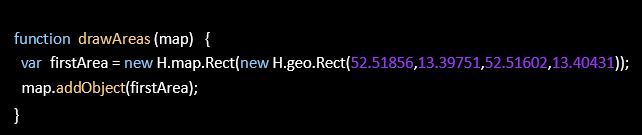
Referring back to the Web SDK, if you want to draw the area on the map using the Web SDK, you can use a map object such as H.map.Rect following the example in the code snippet below:
Add more areas to avoid
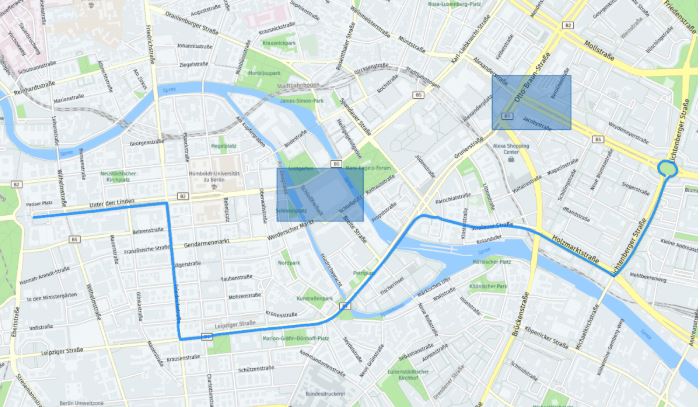
Now we have customised our map to avoid that area, we can now add another area to avoid. The Routing API supports avoiding up to 20 areas at once. We simply add more bounding boxes and separate them with an exclamation mark.
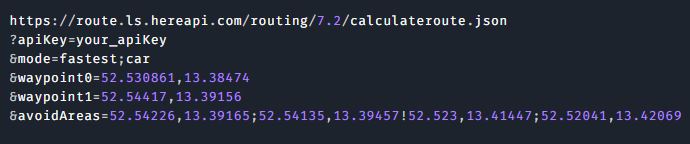
Let’s draw this on a map to check and see the route we have customised.
Grey Matter is the official distributor of HERE Technologies. Our location solutions team are experts in HERE solutions and licensing and can help you with your use case and get you set up with a HERE Freemium account. Contact them: +44 (0)1364 655 133 or [email protected]
This blog is based on an original article by Richard Süselbeck, Principal Developer Evangelist for HERE Technologies.