
Bing Maps Isochrone API with Truck mode
Blog|27 March 2020
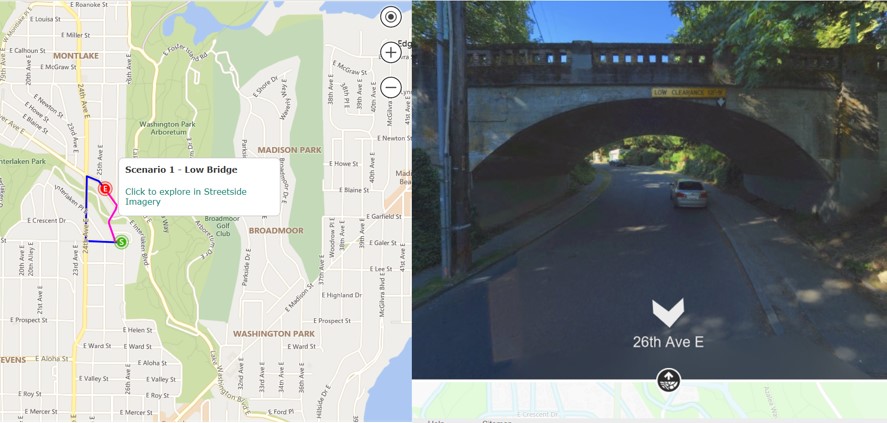
An update to the Microsoft Bing Maps Isochrone API now returns more points. The polygon areas are smoother and more precise, and a performance improvement sees larger isochrone requests return results faster than before.
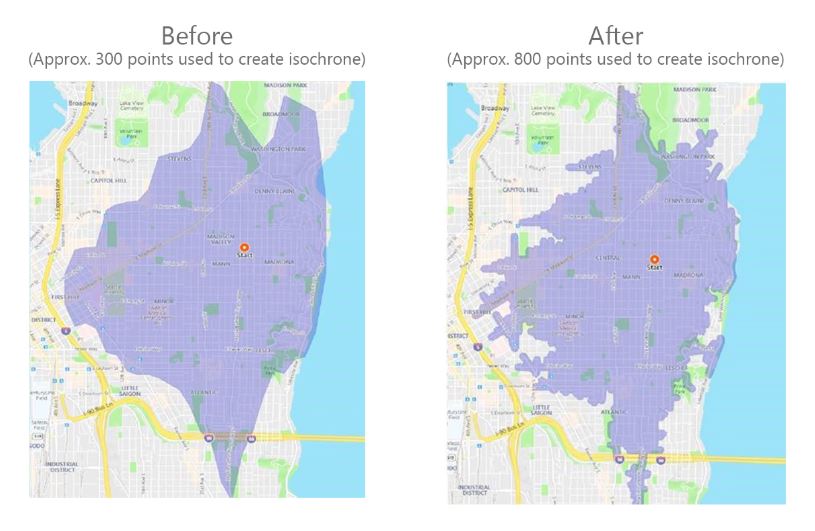
Source: Microsoft
Bing Maps Isochrone API use cases
The isoline polygon area can be used to filter for spatial queries, helping to visualise a wide variety of use cases:
- Store locators: Show all locations that are within 10 minutes of the user.
- Stolen vehicle recovery: The possible distance and location a vehicle may have travelled to since it was stolen.
- Real Estate: Limit search results according to the users’ preferred commute times to work, for example, “show me all homes that are within a 30-minute drive of work”
- Job search sites: List all jobs that are within a specified travel time and location when taking public transit.
- Geofence generation: Generate a polygon that be used as a geofence that alerts users when they are within a certain travel time or distance of a location.
- Field management: Show me all workers who are within a 15-minute drive of a job.
- Emergency Services planning: What location could an emergency vehicle travel to within 5, 10, and 15 minutes.
Truck route support
Now supporting “truck” mode, the Bing Maps Truck Routing API takes into account attributes such as truck size, weight and type of cargo. Not all trucks can travel the same routes as other vehicles, for example:
- Bridges have heights and weight limits.
- Tunnels often have restrictions on flammable or hazardous materials.
- Longer trucks have difficulty making tight turns.
- Highways often have a separate speed limit for trucks.
- Certain trucks may want to avoid roads that have steep gradients.
The example below shows a comparison between an auto isochrone and a truck isochrone with the same start point and travel time.
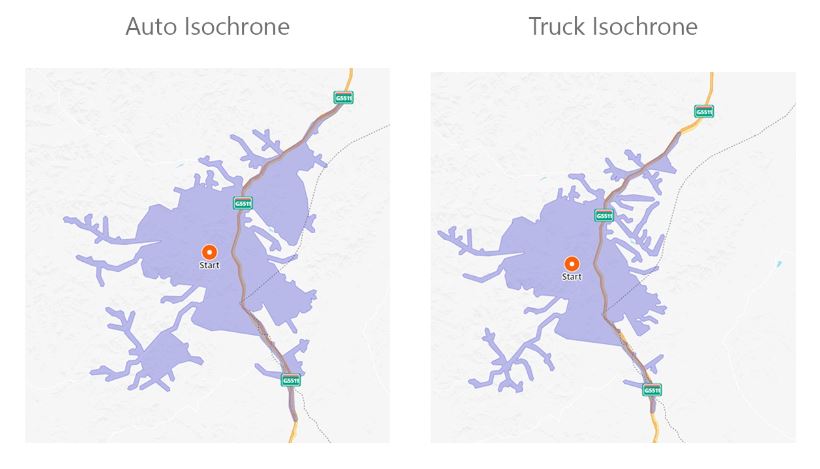
See the Calculate a Isochrone API documentation for more details about these features. For more details about truck attributes, read the Calculate a Truck Route API documentation.
For more information about Microsoft Bing Maps, or to discuss your use case, contact the Grey Matter team of mapping specialists. Call them direct on +44 (0)1364 655 133 or email [email protected]