
How to create an overlay on a Bing Map
Guides|by Justine Coates|11 March 2022
Are you interested in seeing a representation of your Area, Building or Venue on a map? Why not try an overlay? Here’s how to do it!
To begin, select the image of your area or venue you want to use. This image will need to have a URL. Once you are ready you can follow this example. As Microsoft is located in Seattle, I am going to overlay one of our local Sport’s teams Venues, Lumen Field, home of the Seattle Seahawks.
To do this, I first need to find a seating chart image to overlay already published with a URL. A Bing Search is just the thing!
I can then use the public link for the image to create the overlay. Paste the following Sample Code in at the iSDK Simple GroundOverlay to get the Stadium seating chart overlaid on a Bing Map.
var map = new Microsoft.Maps.Map(document.getElementById('myMap'), {
/* No need to set credentials if already passed in URL */
center: new Microsoft.Maps.Location(47.595, -122.3315),
zoom: 17
});
var overlay = new Microsoft.Maps.GroundOverlay({
bounds: Microsoft.Maps.LocationRect.fromEdges(47.596356, -122.333221, 47.594003, -122.330027),
imageUrl: 'https://seatingchartview.com/wp-content/uploads/2013/08/CenturyLink-Field-Football-Seating-Chart.gif',
opacity: 0.4
});
map.layers.insert(overlay); 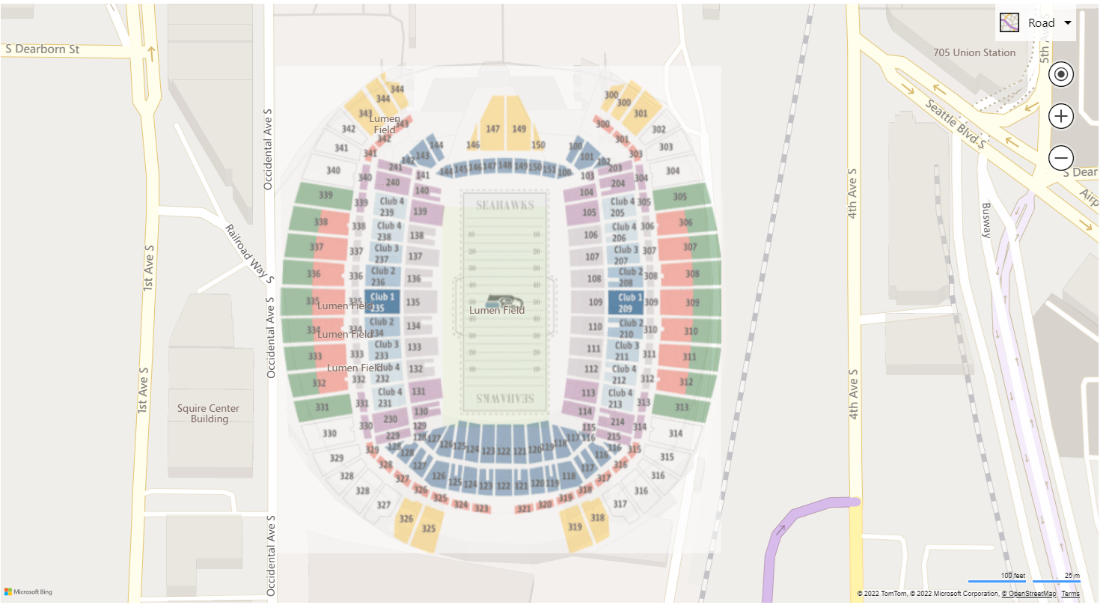
I did need to play with the rectangle to get it positioned just right. Now that I have found the right values, I can set the opacity between 0 and 1 to decide how much of the map behind the image should show through.
Let’s now try this with Wembley Stadium in London!
- Search for a venue map and capture the centerpoint
- Find a nice public image file you like
- Go to the iSDK and choose Ground overlay
- Play with the various cornerpoints until you get...Tah dah!
var map = new Microsoft.Maps.Map(document.getElementById('myMap'), {
/* No need to set credentials if already passed in URL */
center: new Microsoft.Maps.Location(51.555830, -0.279507),
zoom: 16
});
var overlay = new Microsoft.Maps.GroundOverlay({
bounds: Microsoft.Maps.LocationRect.fromEdges(51.557650, -0.282312,51.554248, -0.276143),
imageUrl: 'https://garfitgroup.com/wp-content/uploads/2019/10/Wembley-map-Bobby-Moore-1.jpg',
opacity: 0.4
});
map.layers.insert(overlay); 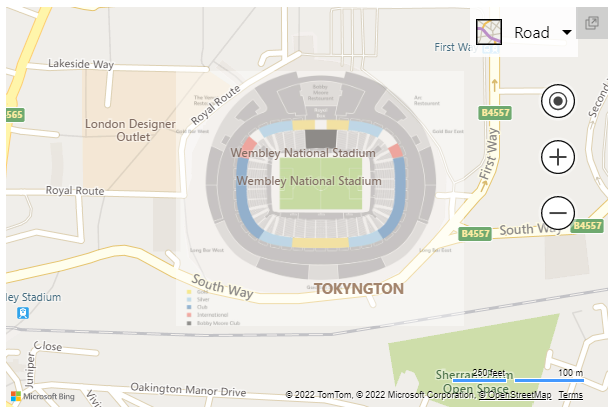
If you literally want to take it to the next level, you can also try the Bing Maps Venue Map feature that allows you to add multiple floors! See Show floor switcher (bing.com) and Venue Maps Module - Bing Maps | Microsoft Docs.
To learn more about how you can use the Bing Maps V8 Interactive SDK to try new things, go to the Overview Page. Traverse the left navigation menu to explore more exciting samples you can try for use in your solutions.
To find out more about integrating Bing Maps into your website or mobile app, or Bing Maps licensing, contact our mapping team:
+44 (0)1364 655 133
Imagery source: SeatingCharts.com and GarfitGroup.com